Notes
A three column note library that saves itself as you type.

01What it does
Notes
in plain words.
included in
Free, and every plan above it
Every built-in app is fully functional on the Free plan. See pricing.
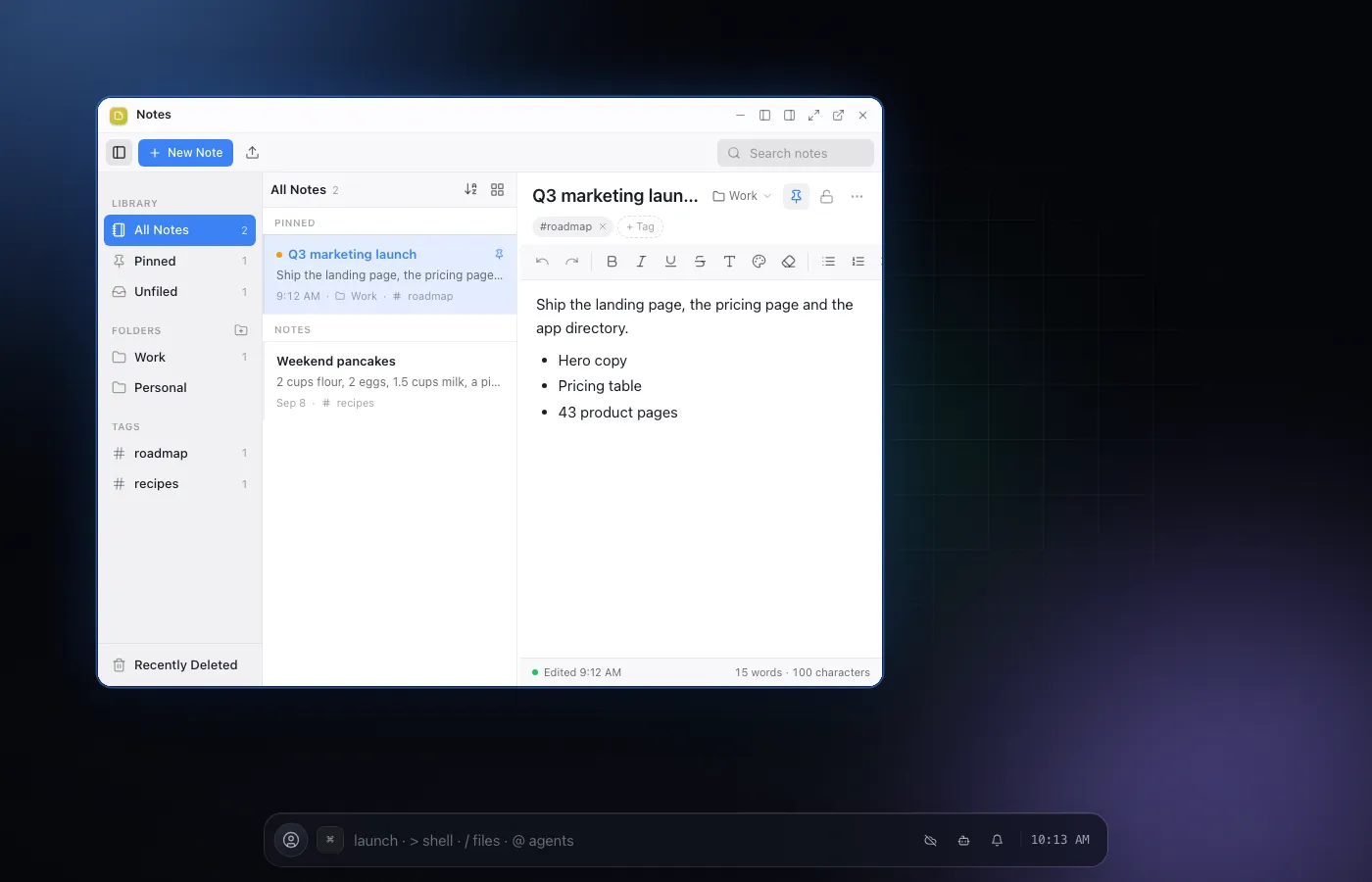
Notes is a places, notes, editor library: pick a folder or tag on the left, browse the notes inside it in the middle, and write in a real rich text editor on the right. Every note saves itself the moment you stop typing, so there is nothing to remember to click.
Organization is real, not decorative: folders, tags, pinning and a Recently Deleted bin all work the way you would expect from a native notes app, and every row accepts a dragged note. On a phone the same three columns collapse into a list and an editor screen you push between, rather than a cramped copy of the desktop.
Nothing is ever silently lost: deleting a note moves it to Recently Deleted first, where it stays recoverable for a window before it is gone for good, the same safety net a native notes app gives you.
The editor is the same rich text surface whether you are formatting a checklist, pasting a table, or writing a long note with headings, so what you see while writing is exactly what gets saved.
02Features
- Rich text notes with folders, tags and pins
- Full text search across every note
- Autosaves on every keystroke, no save button
- Drag and drop between folders and tags
- A dedicated phone layout, not a squeezed desktop view
04Related